In this article, you will discover how to utilize Google My Business for better local SEO. With the rise of local search rankings in recent years, it has become crucial for businesses to optimize their online presence for local customers. From improving your local SEO rankings to managing your Google My Business profile, this article will provide you with practical tips and strategies to enhance your visibility locally. Whether you are a small local business or a larger company, understanding the importance of local SEO and utilizing Google My Business effectively can greatly impact your online success. So, let’s dive into the world of local SEO and empower your business to reach new heights in your local market.

Google My Business Local SEO
How to Use Google My Business for Better Local SEO in 2023
In today’s digital age, having an online presence is crucial for businesses. And when it comes to local SEO, Google My Business (GMB) is a powerful tool that can greatly improve your visibility in local search results. Whether you are a small local business or a larger enterprise with multiple locations, optimizing your Google My Business profile can help you attract more local customers and increase your online presence.
GMB Optimization
The Complete Guide to Optimizing Google My Business for More Local Traffic
To make the most of Google My Business, it’s important to optimize your profile to ensure that it stands out in local search results. Start by claiming and verifying your business on GMB. This will give you access to all the features and tools offered by the platform. Once your account is set up, you can focus on optimizing the key elements of your profile.
Start by creating an accurate and compelling business description. Use relevant keywords that describe your business and the services you offer. This will help Google understand what your business is all about and improve your chances of appearing in relevant local search queries. You should also ensure that your contact information, including your address, phone number, and website, is accurate and up to date.
Another important aspect of GMB optimization is choosing the right category for your business. This will help Google understand the nature of your business and improve its relevance in local search results. Be as specific as possible when selecting your category to maximize your local visibility.
In addition to the basic information, you can also enhance your GMB profile with photos and videos. High-quality visuals can make your listing more engaging and attract more attention from potential customers. Showcase your products, services, and the overall ambiance of your business to give people a glimpse of what they can expect when they visit.
Lastly, don’t forget to regularly update your GMB profile with new posts and announcements. This will not only keep your profile fresh and relevant but also give you more opportunities to appear in local search results.
Improving GMB Ranking
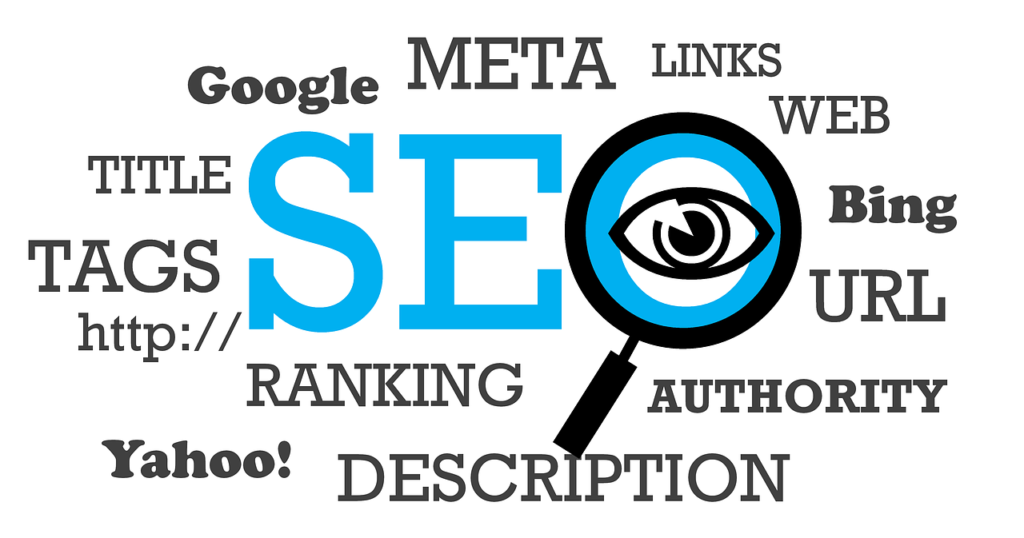
Not Ranking on Google My Business? Here are 10 Tips to Start Improving Your GMB Ranking
If you find that your business is not ranking well on Google My Business, there are several steps you can take to improve your visibility. Here are ten tips to help you get started:
-
Optimize your GMB profile: Make sure all the information in your profile is accurate, complete, and up to date. This includes your business name, address, phone number, and website.
-
Select relevant categories: Choose the most specific category that accurately represents your business. This will help Google understand your business better and improve its relevance in local search results.
-
Get more reviews: Encourage your customers to leave reviews on your GMB profile. Positive reviews can improve your ranking and attract more potential customers.
-
Respond to reviews: Engage with your customers by responding to their reviews, both positive and negative. This shows that you value their feedback and can help improve your online reputation.
-
Use high-quality visuals: Upload high-resolution photos and videos that showcase your business. This can make your listing more attractive and increase user engagement.
-
Publish regular posts: Keep your GMB profile active by publishing regular posts. This can help improve your ranking and keep your profile fresh and relevant.
-
Optimize for local keywords: Include relevant local keywords in your business description, posts, and updates. This will improve your chances of appearing in local search queries.
-
Build citations: Get your business listed in local directories, online directories, and review sites. This can improve your online visibility and increase your chances of ranking higher in local search results.
-
Improve website quality: Ensure that your website is mobile-friendly, loads quickly, and provides a great user experience. Google takes these factors into consideration when ranking businesses in local search results.
-
Monitor and adjust: Regularly monitor your GMB insights and analytics to see how your profile is performing. Use this data to make informed decisions and adjust your strategy accordingly.
By following these tips, you can start improving your GMB ranking and attract more local customers to your business.
Google My Business Citations
Why Google My Business Citations Are Critical for Local SEO Success
When it comes to local SEO, citations play a crucial role in improving your online visibility and ranking. A citation is simply a mention of your business name, address, and phone number (NAP) on other websites, directories, and review platforms. Google uses these citations to verify the accuracy and legitimacy of your business information, which can have a direct impact on your local search ranking.
Google My Business citations are critical because they provide signals to search engines that can influence your local SEO efforts. When your business information is consistently mentioned across different online platforms, it builds trust and authority in the eyes of search engines. This can result in improved rankings in local search results and increased visibility for your business.
Citations also play a role in establishing the relevance of your business in a specific geographic area. When search engines see that your business is mentioned on local directories and review sites in your target location, it helps them understand that your business is locally focused and relevant to users in that area. This can give you an edge over competitors who may not have as many citations.
To maximize the impact of Google My Business citations, it’s important to ensure that your business information is accurate and consistent across all platforms. This means that your business name, address, and phone number should be exactly the same everywhere it is mentioned online. Even minor inconsistencies can confuse search engines and negatively impact your rankings.
Building citations for your Google My Business profile can be done by submitting your business information to relevant directories, review sites, and online platforms. Look for local directories, industry-specific websites, and review platforms that are popular in your area. Be sure to include your NAP information and any other relevant details about your business.
By building citations and ensuring the accuracy and consistency of your business information, you can improve your local SEO efforts and increase your visibility in local search results.

GMB Posts for Local SEO
The Secrets to Using Google My Business Posts for Better Local SEO Results
Google My Business posts are one of the most effective tools you can utilize to improve your local SEO efforts. These posts allow you to share updates, promotions, and events directly on your GMB profile, which can attract more attention from potential customers and improve your local search ranking. Here are some secrets to using Google My Business posts for better local SEO results:
-
Be consistent: Regularly posting updates on your GMB profile is important for maintaining a strong online presence. Aim to post at least once a week to keep your profile fresh and relevant.
-
Use relevant keywords: Incorporate relevant keywords in your GMB posts to improve your chances of appearing in local search queries. Think about what users in your target area might be searching for and include those keywords in your posts.
-
Highlight promotions and events: GMB posts are a great way to promote special offers, discounts, and upcoming events. Use eye-catching visuals and compelling calls to action to encourage users to engage with your posts.
-
Share customer testimonials: If you receive positive reviews from customers, consider showcasing them in your GMB posts. This can build trust and credibility with potential customers, and also improve your local search ranking.
-
Include a strong call to action: Each GMB post should include a clear and compelling call to action, such as “Call Now,” “Visit Our Website,” or “Learn More.” This helps guide users to take the desired action and can improve your conversion rate.
-
Keep posts informative and concise: GMB posts have a character limit, so it’s important to get your message across succinctly. Include key information such as dates, times, and any important details about your promotions or events.
-
Use high-quality visuals: Including eye-catching visuals in your GMB posts can grab users’ attention and improve engagement. Use high-resolution images, videos, and GIFs to make your posts more visually appealing.
-
Experiment with different formats: Google allows you to create different types of posts, such as text-based posts, event posts, offer posts, and product posts. Experiment with different formats to see what works best for your business and resonates with your target audience.
-
Monitor post insights: Regularly check your GMB post insights to see how your posts are performing. This data can help you understand what types of posts generate the most engagement and adjust your strategy accordingly.
By utilizing Google My Business posts effectively, you can improve your local SEO results and attract more local customers to your business.
Google My Business Categories
How to Choose the Best Google My Business Categories for Maximum Local Visibility
Choosing the right categories for your Google My Business profile is crucial for maximum local visibility. Categories help Google understand the nature of your business and improve its relevance in local search results. Here are some tips on how to choose the best Google My Business categories for maximum local visibility:
-
Be specific: When selecting categories for your business, be as specific as possible. Avoid broad or generic categories that don’t accurately represent your business. For example, instead of selecting “Restaurant,” choose more specific categories like “Italian Restaurant” or “Fine Dining Restaurant.”
-
Consider your target audience: Think about who your target audience is and what they might be searching for. Choose categories that align with the services or products you offer and that your potential customers are likely to be looking for.
-
Research your competitors: Take a look at the categories your competitors have selected on their GMB profiles. This can give you insights into what categories are relevant for your industry and help you choose the most appropriate ones for your business.
-
Leverage subcategories: Google My Business allows you to select both primary and secondary categories for your business. Utilize the subcategories feature to further specify the nature of your business and improve your local visibility.
-
Use keyword research: Conduct keyword research to identify relevant keywords that align with your business and target location. Include these keywords in your category selection to improve your chances of appearing in local search queries.
-
Optimize for local relevance: If your business serves a specific local area, consider selecting categories that specify your location. For example, if you have a bakery in New York City, you can choose categories like “Bakery in New York” or “New York City Bakery.”
-
Regularly review and update: As your business evolves, you may need to review and update your categories. Regularly evaluate whether your current categories accurately represent your business and make adjustments as needed.
By strategically selecting the right categories for your Google My Business profile, you can improve your local visibility and increase the chances of attracting the right customers to your business.
Managing Google My Business
The Complete Guide to Managing Google My Business for Local Marketing Success
Managing your Google My Business profile is essential for local marketing success. By actively monitoring and optimizing your GMB profile, you can attract more local customers, improve your online reputation, and boost your local search ranking. Here is a complete guide to managing Google My Business for local marketing success:
-
Claim and verify your business: The first step in managing your GMB profile is to claim and verify your business. This gives you access to all the features and tools offered by Google My Business.
-
Keep your information up to date: Ensure that all the information in your GMB profile, including your business name, address, phone number, and website, is accurate and up to date. This information should be consistent with what is listed on your website and other online platforms.
-
Respond to reviews: Responding to customer reviews, both positive and negative, shows that you value their feedback and can help improve your online reputation. Take the time to acknowledge and address reviews in a timely and professional manner.
-
Post regular updates: Keep your GMB profile active by regularly posting updates, promotions, and events. This can help boost engagement, improve your local search ranking, and keep your profile fresh and relevant.
-
Utilize Google My Business posts: Take advantage of Google My Business posts to share important updates, promotions, and news about your business. Use compelling visuals and clear calls to action to encourage user engagement.
-
Monitor insights and analytics: Regularly review your GMB insights and analytics to understand how your profile is performing. Pay attention to metrics such as views, clicks, and engagement to gain insights into what strategies are working and make data-driven decisions.
-
Leverage Google My Business messaging: Enable messaging on your GMB profile to make it easy for customers to connect with your business. Respond to messages promptly and provide helpful and accurate information.
-
Use Google My Business attributes: Take advantage of Google My Business attributes to provide additional information about your business, such as whether you offer dine-in, takeout, or delivery services. This can help users make informed decisions and improve your visibility in relevant search queries.
-
Optimize for local SEO: Implement local SEO strategies to improve your visibility in local search results. This includes optimizing your GMB profile, building citations, and incorporating relevant local keywords in your content.
-
Engage with your audience: Actively engage with your audience by responding to their questions, comments, and direct messages. This shows that you value their interaction and can help build customer loyalty and trust.
By following these tips and actively managing your Google My Business profile, you can achieve local marketing success and attract more local customers to your business.
Google My Business Analytics
Everything You Need to Know About Google My Business Analytics to Improve Performance
Google My Business Analytics provides valuable insights into the performance of your GMB profile, allowing you to make informed decisions and optimize your local marketing strategies. Here is everything you need to know about Google My Business Analytics to improve performance:
-
How to access GMB Analytics: To access your GMB Analytics, log in to your Google My Business account and navigate to the “Insights” section. Here, you will find a wealth of data related to your profile’s performance.
-
Key metrics to monitor: Google My Business Analytics provides a range of metrics that can help you understand how your profile is performing. Some key metrics to monitor include total searches, direct searches, discovery searches, views on search and maps, and customer actions.
-
Total searches: This metric shows the total number of times your business was found via a Google search or Maps search.
-
Direct searches: Direct searches represent the number of times users searched for your business directly by name or address.
-
Discovery searches: Discovery searches refer to the number of times users found your business through a category, product, or service-related search.
-
Views on search and maps: This metric indicates the number of times your business listing was viewed on Google search and Google Maps.
-
Customer actions: Customer actions track the number of times users took action on your profile, such as visiting your website, requesting directions, or calling your business.
-
Insights over time: Google My Business Analytics allows you to view insights over a specific time period, such as the past week, month, or quarter. This can help you identify trends and patterns in your profile’s performance.
-
Comparisons and benchmarks: You can compare your profile’s performance to previous periods and benchmark it against similar businesses in your industry and location. This can provide valuable insights into how well your profile is performing relative to your competitors.
-
Using insights to optimize: Once you have a clear understanding of your profile’s performance through Google My Business Analytics, you can utilize the data to optimize your local marketing strategies. Identify areas where you can improve, such as increasing customer actions or boosting discovery searches, and adjust your strategy accordingly.
By regularly monitoring and utilizing Google My Business Analytics, you can gain valuable insights into the performance of your GMB profile and make data-driven decisions to improve your local marketing efforts.

Monitoring Google My Business
The Essential Guide to Monitoring Google My Business Stats to Maintain Local Dominance
Monitoring your Google My Business stats is essential for maintaining local dominance and ensuring the success of your local marketing efforts. By regularly keeping an eye on your GMB stats, you can identify areas for improvement, track the success of your strategies, and stay ahead of the competition. Here is the essential guide to monitoring Google My Business stats to maintain local dominance:
-
Access your Google My Business stats: Log in to your GMB account and navigate to the “Insights” section. Here, you will find a wealth of data related to the performance of your GMB profile.
-
Views and engagement: Monitor the total views and engagement metrics to gauge the level of interest and interaction your GMB profile is generating. This can help you understand whether your profile is attracting attention and resonating with local customers.
-
Searches and discovery: Keep a close eye on the number of searches and discovery metrics to see how often users are finding your business. This includes direct searches, where users search for your business name or address, and discovery searches, where users find your business through a category or product-related search.
-
Customer actions: Track the number of customer actions, such as website visits, direction requests, and phone calls, to evaluate how users are interacting with your GMB profile. This can provide insights into the effectiveness of your call-to-action strategies and the overall user experience.
-
Reviews and feedback: Regularly check your GMB profile for new reviews and feedback. Respond promptly to customer reviews, both positive and negative, to show that you value their feedback and are proactive in addressing their concerns. Monitor your average rating and look for any trends or patterns in customer feedback.
-
Comparisons and benchmarks: Compare your GMB stats to previous periods to identify any areas of improvement or decline. Benchmark your stats against similar businesses in your industry and location to see where you stand and how you can improve your performance.
-
Adjust your strategies: Use the insights gained from monitoring your GMB stats to inform your local marketing strategies. Identify areas where you can optimize, such as increasing engagement, improving customer actions, or addressing recurring customer concerns.
-
Experiment and test: Don’t be afraid to experiment and test different strategies on your GMB profile. Monitor the impact of these changes on your stats and adjust accordingly. This iterative approach can help you refine your local marketing efforts over time.
By consistently monitoring your Google My Business stats, you can maintain local dominance, make data-driven decisions, and continuously improve your local marketing strategies.
Optimizing for Local SEO
Local SEO Not Up to Speed? Use this Proven 6-Step System for Optimizing for Local SEO
Optimizing for local SEO is crucial for businesses looking to attract more local customers and improve their online visibility. If your local SEO efforts are not up to speed, here is a proven 6-step system that you can use to optimize for local SEO:
Step 1: Claim and optimize your Google My Business profile: Google My Business is a powerful tool for local SEO. Claim and verify your business on GMB, and optimize your profile by providing accurate and up-to-date information, selecting relevant categories, and uploading high-quality visuals.
Step 2: Research and optimize for local keywords: Conduct keyword research to identify relevant local keywords that your target audience might use in their search queries. Incorporate these keywords into your website content, metadata, and GMB profile to improve your local search ranking.
Step 3: Build local citations: Citations are mentions of your business name, address, and phone number (NAP) on other websites, directories, and review platforms. Consistently build local citations to establish trust and authority in the eyes of search engines and increase your local search visibility.
Step 4: Optimize your website for local SEO: Ensure that your website is optimized for local SEO by including your NAP information on every page, creating location-specific landing pages, and incorporating local keywords in your content. Make sure your website is mobile-friendly and provides a great user experience.
Step 5: Encourage customer reviews: Positive reviews can greatly impact your local search ranking. Encourage your customers to leave reviews on platforms like Google My Business and other review sites. Respond to reviews promptly and address any negative feedback professionally.
Step 6: Monitor and analyze your performance: Regularly monitor your local SEO performance using tools like Google Analytics and Google Search Console. Track key metrics such as organic traffic, rankings, and conversions to gain insights into the effectiveness of your local SEO strategies. Make data-driven decisions and adjust your approach as needed.
By following this 6-step system, you can optimize for local SEO and improve your online visibility, attract more local customers, and stay ahead of the competition. Remember that optimizing for local SEO is an ongoing process, and it requires constant monitoring, adjustment, and optimization to achieve long-term success.