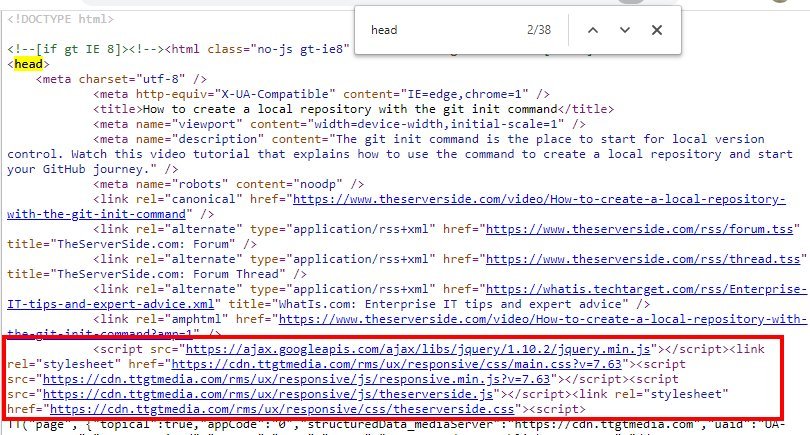
In “Local Site Performance: 5 Common Local Site Performance Killers and How to Fix Them,” you will discover the top reasons behind poor local site performance and learn effective strategies to overcome them. From slow page loading times to inadequate mobile optimization, this article will provide you with actionable tips to optimize your local site and enhance your online visibility. Don’t let performance issues hold you back from reaching your target audience and driving more local traffic to your website. Read on to uncover the secrets to boosting your local site performance and achieving better results in today’s competitive digital landscape.

Common Local Site Performance Killers
As a website owner, it’s important to ensure that your local site performs efficiently to provide the best user experience for visitors. There are several common factors that can lead to poor site performance, and understanding them is the first step towards fixing them.
Slow loading times
One of the most significant factors affecting user experience is slow loading times. When a site takes too long to load, it frustrates visitors and can lead to high bounce rates. Slow loading times can be caused by various factors, including large image file sizes, excessive plugins and scripts, and poor server response times.
Poor mobile optimization
With the increasing use of mobile devices for browsing the internet, it’s crucial to optimize your site for mobile users. Poor mobile optimization can result in a frustrating experience for visitors trying to access your site on their smartphones or tablets. Issues such as unresponsive design, slow loading times, and difficult navigation can all contribute to poor mobile optimization.
Lack of SSL certificate
An SSL certificate plays a significant role in website security and user trust. Without an SSL certificate, your site may be marked as “not secure” by browsers, leading to a lack of trust from visitors. In addition, search engines may prioritize sites with SSL certificates in their rankings. Therefore, it’s essential to have an SSL certificate installed on your site to ensure security and improve search engine visibility.
Excessive plugins and scripts
While plugins and scripts can enhance the functionality and aesthetics of your site, using too many can have a negative impact on site performance. Each plugin or script adds extra code that needs to be loaded by the browser, resulting in increased loading times and potential conflicts. It’s important to audit your plugins and scripts regularly and remove any that are unnecessary or causing performance issues.
Large image file sizes
Images are an integral part of any website, but large file sizes can significantly impact loading times. High-resolution images can take longer to load, especially on slower internet connections or mobile devices. It’s crucial to optimize your images by compressing them and adjusting their dimensions to reduce file sizes without sacrificing image quality.
Fixing Slow Loading Times
When it comes to improving loading times, there are several strategies you can implement to optimize your site’s performance.
Optimize images
One of the most effective ways to reduce loading times is by optimizing your images. Use image editing software or online tools to compress your images without compromising quality. Additionally, adjust the dimensions of your images to fit the intended display size on your website.
Minimize HTTP requests
Every time a visitor accesses your site, the browser sends multiple requests to fetch resources such as images, CSS files, and JavaScript. By reducing the number of HTTP requests, you can significantly improve loading times. Combine and minify your CSS and JavaScript files to reduce the number of requests made by the browser.
Use browser caching
Browser caching allows you to store static resources, such as images, CSS, and JavaScript, on the visitor’s device. This way, when they revisit your site, the browser can retrieve those resources from the cache instead of sending new requests to the server. Implement caching headers and directives in your server configuration to take advantage of browser caching.
Reduce server response time
Server response time refers to the time it takes for your server to respond to a request from the browser. If your server takes too long to respond, it can significantly impact loading times. Optimize your server configuration and code to improve response times. Consider using content delivery networks (CDNs), which store copies of your site’s static resources on servers distributed worldwide, reducing the distance between the server and the visitor.
Use a content delivery network
A content delivery network (CDN) is a network of servers located in different geographical locations. By using a CDN, you can distribute your site’s static content to servers that are closer to your visitors, reducing the distance data needs to travel and improving loading times. Consider using a reliable CDN service to deliver your site’s content faster and more efficiently.
Fixing Poor Mobile Optimization
To ensure your site is optimized for mobile users, consider implementing the following strategies:
Use responsive web design
Responsive web design ensures that your site adapts and displays properly on different screen sizes and devices. This approach eliminates the need for separate mobile and desktop versions of your site. When your site is responsive, its layout, images, and text adapt to fit mobile screens, providing a seamless experience to your mobile visitors.
Optimize for mobile page speed
Mobile devices often have slower internet connections compared to desktop computers. As a result, optimizing your site for mobile page speed is crucial. Compress images, minify CSS and JavaScript, and minimize redirects to reduce the amount of data that needs to be transferred. Additionally, consider using AMP (Accelerated Mobile Pages) to create lightweight versions of your pages specifically for mobile devices.
Ensure readability on mobile devices
Text that is too small or difficult to read on a mobile device can make it hard for users to navigate your site. Ensure that your font sizes are appropriate for mobile screens and that there is sufficient contrast between text and background colors. Avoid using small buttons or links that can be challenging to tap accurately on touch screens.
Implement mobile-friendly navigation
Mobile users have different navigation needs compared to desktop users. Implement a user-friendly mobile navigation menu that is easy to access and use on small touch screens. Consider using a hamburger menu or other intuitive icons to reduce clutter and provide a seamless navigation experience.
Test and optimize for various devices
With the wide range of mobile devices available in the market, it’s critical to test your site on different devices and screen sizes to ensure a consistent experience for all users. Use device testing tools or emulators to check how your site looks and functions on various devices. Make adjustments as needed to optimize the user experience on different platforms.
Fixing Lack of SSL Certificate
To fix the lack of an SSL certificate on your site, follow these steps:
Obtain an SSL certificate
Obtaining an SSL certificate is the first step towards securing your site and improving trust with visitors. Contact a trusted certificate authority (CA) to obtain an SSL certificate for your domain. Depending on your needs and budget, you can choose from various types of certificates, such as domain validation (DV), organization validation (OV), or extended validation (EV) certificates.
Update internal links to HTTPS
After installing an SSL certificate, update any internal links on your site to use the HTTPS protocol instead of HTTP. This ensures that all resources, including images, scripts, and stylesheets, are loaded securely. Failing to update internal links can result in “mixed content” warnings or errors, which can affect the functionality and security of your site.
Set up 301 redirects
To maintain search engine rankings and ensure a smooth transition to HTTPS, set up 301 redirects from the HTTP version of your site to the HTTPS version. This notifies search engines and visitors that your site has moved permanently to a secure connection. Redirect all HTTP URLs to their corresponding HTTPS counterparts.
Update XML sitemap
Once you have migrated your site to HTTPS, update your XML sitemap to include the new HTTPS URLs. This helps search engines discover and crawl your secure pages more effectively. Submit the updated XML sitemap to search engines through their respective webmaster tools or console.
Submit HTTPS version of the website to search engines
To ensure search engines understand that your site has migrated to HTTPS, submit the HTTPS version of your site to search engines through their webmaster tools or console. This helps search engines index your secure pages and associate them with improved rankings and higher trustworthiness.

Fixing Excessive Plugins and Scripts
To fix performance issues caused by excessive plugins and scripts, consider the following strategies:
Audit and remove unnecessary plugins
Regularly audit your site’s plugins to identify any that are not essential or are causing performance issues. Deactivate and remove any plugins that are no longer needed or are duplicating functionality. Stick to using only the necessary plugins, and choose lightweight alternatives whenever possible.
Combine and minify scripts
Having multiple JavaScript files on your site can increase loading times and lead to slower performance. Combining and minifying your scripts reduces the number of HTTP requests and decreases the file size of your JavaScript. Use build tools or plugins specifically designed for script optimization to automate this process.
Defer JavaScript loading
Defer the loading of non-essential JavaScript files until the rest of your page has finished loading. By deferring JavaScript, you prioritize the loading of critical resources, resulting in faster initial page rendering. This can significantly improve the perceived performance of your site.
Optimize plugin settings
Some plugins may have settings or options that can impact performance. Take the time to review and optimize the settings of your plugins to reduce their impact on your site’s performance. Disable any unnecessary features or options that you don’t need to avoid additional overhead.
Regularly update plugins
Keeping your plugins up to date is crucial for security and performance reasons. Plugin developers often release updates that include bug fixes, performance improvements, and security patches. Regularly check for updates and apply them to ensure optimal plugin performance and compatibility with your site.
Fixing Large Image File Sizes
To address large image file sizes and improve site performance, follow these recommendations:
Compress images
Image compression is a technique used to reduce the file size of images without significantly sacrificing quality. Use image editing software or online tools to compress your images before uploading them to your site. Experiment with different compression settings to strike a balance between file size and image quality.
Optimize image dimensions
When uploading images to your site, optimize their dimensions to match the intended display size on your web pages. Resizing images to the exact dimensions needed reduces the file size and prevents the browser from having to resize the image on the fly, which can slow down loading times.
Lazy load images
Lazy loading is a technique that defers the loading of non-visible images until they are about to come into view. This can significantly improve initial page loading times by reducing the number of images that need to be loaded at once. Consider implementing a lazy loading script or using plugins that offer this feature.
Choose the appropriate file format
Choosing the right file format for your images can significantly impact file size and loading times. Use JPEG or PNG formats for photographs and graphics, respectively. Consider using newer image formats, such as WebP, which can offer better compression and smaller file sizes without compromising image quality. However, ensure that the chosen format is supported by the browsers your visitors are using.
Use srcset for responsive images
If you have responsive design implemented on your site, use the srcset attribute to provide different image sources depending on the device’s screen size and resolution. This ensures that visitors are served the most appropriate image for their device, reducing unnecessary downloads and improving loading times.

Local Site Performance Monitoring
Monitoring the performance of your local site is crucial for identifying issues and ensuring optimal performance over time. Consider implementing the following practices:
Use website performance monitoring tools
There are various website performance monitoring tools available that can track and analyze key performance metrics of your site. These tools can provide insights into factors such as loading times, page speed, and server response times. Consider using tools like Google PageSpeed Insights, Pingdom, or GTmetrix to monitor and analyze your site’s performance.
Set up performance benchmarks
Establishing performance benchmarks allows you to track and compare your site’s performance over time. Set realistic goals for metrics such as loading times, page speed, and server response times, and regularly measure your site’s performance against these benchmarks. This can help you identify improvements or areas that require attention.
Monitor loading times and page speed
Loading times and page speed are critical factors in user experience and search engine rankings. Regularly monitor these metrics to ensure they remain within acceptable ranges. If there are any deviations or sudden drops in performance, investigate the cause and take appropriate measures to address the issue.
Track mobile optimization metrics
Given the increasing importance of mobile optimization, track and analyze metrics specific to mobile performance. Monitor metrics such as mobile page speed, mobile friendliness, and mobile usability to ensure your site provides an excellent experience for mobile users. Address any mobile performance issues promptly to minimize bounce rates and improve overall mobile optimization.
Regularly analyze website performance data
Gather and analyze performance data regularly to identify trends and patterns that may affect your site’s performance. Look for areas of improvement, such as specific pages or types of content that may be causing performance issues. Use this data to make informed decisions and prioritize optimization efforts.
Local Site Performance Testing
Regularly testing your local site’s performance is crucial to identify and address any issues that may affect user experience and search engine rankings. Consider the following testing practices:
Conduct website speed tests
Perform website speed tests using tools like Google PageSpeed Insights, GTmetrix, or Pingdom to evaluate your site’s loading times and page speed. These tests provide valuable insights into areas for improvement, such as image optimization, script minification, or server configuration. Conduct tests on a regular basis to track performance over time.
Test mobile optimization
Test your site’s mobile optimization using tools like Google’s Mobile-Friendly Test or the Mobile Usability report in Google Search Console. These tests analyze your site’s responsiveness, mobile usability, and page speed on mobile devices. Address any issues identified during testing to ensure a seamless experience for mobile users.
Check SSL certificate configuration
Regularly check the configuration of your SSL certificate to ensure it is functioning correctly and providing a secure connection. Use tools like SSL Labs’ SSL Server Test to evaluate the strength and configuration of your SSL certificate. Address any warnings or issues identified during the test to maintain the security and performance of your site.
Evaluate plugin and script performance
Test the performance impact of your plugins and scripts using tools like Query Monitor or P3 (Plugin Performance Profiler) to identify any performance bottlenecks or conflicting plugins. Assess the impact of each plugin or script on loading times and server response times. Consider optimizing or replacing plugins that are causing significant performance issues.
Analyze image file sizes and loading
Regularly analyze the file sizes and loading times of your images to ensure they are optimized for performance. Use tools like TinyPNG or ImageOptim to compress and optimize your images. Monitor loading times and file sizes to identify any images that may be slowing down your site and optimize them accordingly.
Technical SEO Audit for Local Sites
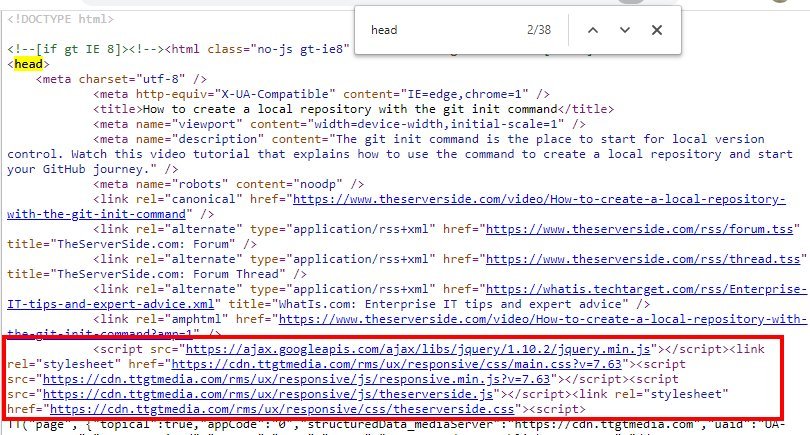
Performing a technical SEO audit can help identify and address issues that may affect your site’s local search engine rankings. Consider the following areas when conducting a technical SEO audit for your local site:
Verify website accessibility
Ensure that search engines can access and crawl your site by checking for any accessibility issues. Use tools like Google Search Console’s “Fetch as Google” feature to test how search engines see your site. Address any crawl errors or accessibility issues identified during the test.
Check for crawl errors
Regularly check for crawl errors on your site using tools like Google Search Console. Crawl errors can occur when search engine bots encounter problems accessing or indexing your site’s pages. Address any crawl errors promptly to ensure that your site is fully indexed and can appear in search engine results.
Review HTML markup and structure
Review your site’s HTML markup and structure to ensure it is optimized for search engines. Use proper heading tags (H1, H2, etc.) to structure your content hierarchically. Ensure that your URLs are clean and descriptive, containing relevant keywords where applicable. Review your site’s meta tags to ensure they accurately represent your content.
Ensure proper use of heading tags
Heading tags (H1, H2, etc.) play a significant role in signaling the structure and hierarchy of your content to search engines. Ensure that you are using heading tags appropriately and that each page has only one H1 tag. Use H2-H6 tags to structure subheadings and content sections logically.
Evaluate URL structure
Review your site’s URL structure to ensure it is optimized for search engines and user readability. Use concise and descriptive URLs that include relevant keywords where applicable. Avoid using excessive parameters or unnecessary characters in your URLs. Consider implementing canonical tags to resolve any duplicate content issues.
Local Site Performance Best Practices
To ensure optimal performance and user experience on your local site, follow these best practices:
Prioritize website speed and performance
Make website speed and performance a top priority when designing and optimizing your local site. Fast-loading sites provide a better user experience, leading to increased engagement and conversions. Regularly measure and monitor your site’s performance and take appropriate steps to optimize loading times, minimize server response times, and reduce overall page size.
Optimize for mobile-first indexing
With the increasing prevalence of mobile browsing, it’s crucial to optimize your site for mobile-first indexing. Ensure your site is responsive and provides a seamless experience across different devices and screen sizes. Optimize your site’s mobile page speed and usability to cater to the needs of mobile users and improve your search engine rankings.
Implement HTTPS and secure browsing
To ensure the security and trustworthiness of your site, implement HTTPS and secure browsing with an SSL certificate. Having an SSL certificate provides a secure connection and indicates to visitors that your site is safe to browse. HTTPS is also a ranking signal for search engines, potentially improving your site’s visibility and search engine rankings.
Maintain a lean and efficient website build
Keep your site’s build lean and efficient by minimizing unnecessary code, plugins, and scripts. Regularly audit your site’s plugins and remove any that are not essential or causing performance issues. Optimize your code and files by minifying scripts and compressing images. Maintain a clean and organized code structure to improve loading times and overall site performance.
Regularly monitor and optimize website performance
Website performance is not a one-time task but an ongoing process. Regularly monitor and analyze your site’s performance using tools and techniques mentioned earlier. Identify areas for improvement and take appropriate measures to optimize performance. Stay up to date with best practices and emerging technologies to continuously enhance your site’s performance and user experience.
By following these best practices, you can ensure that your local site performs optimally, providing visitors with a seamless and satisfying experience. Regular monitoring and optimization are key to maintaining high performance and staying ahead of the competition in the local search landscape.